
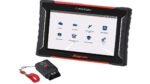

Snap-on customers can learn about the features and functionality of the new TRITON scan tool. They can visit the updated support section of the diagnostic tools website. The enhanced TRITON scan tool support provides comprehensive resources for professional technicians, Snap-on said.
Comprehensive TRITON Scan Tool Support Features Expert Training
“We recently added a variety of instructional content to our website that includes video clips to help professional technicians get the most out of their TRITON scan tool,” said Helen Cox, marketing and client services director, Snap-on Diagnostics. “When technicians purchase a Snap-on diagnostic platform, they can be confident knowing it is backed by detailed online support that is always accessible, live seminars and product training from diagnostic experts, and regular assistance from Snap-on representatives.”
New TRITON website content includes:
Tutorial Videos
This section offers short tutorial videos that provide quick overviews of TRITON’s various features. The system includes 20 different videos with topics such as installing the battery and powering up. Videos cover features and controls, connecting to Wi-Fi and pairing the scan module. Additional topics include connecting an external monitor, software updates and Fast-Track Intelligent Diagnostics. The videos also cover Security Link and ShopStream Connect features. The videos provide quality product training 24/7. Technicians can revisit training sessions as often as necessary. They learn at their own pace and comfort level.
Knowledge Base
This section offers free access to diagnostic platform help, including troubleshooting. The system covers scanner and scope operation and more advanced features.
Important Information
This section includes links to helpful topics, including finding the serial number and software version. It covers specifications, FAQs and safety information. It also includes warranty registration and customer support links for the U.S. and Canada.
Third-Generation TRITON Scan Tool Enhances Technician Workflow
The third-generation TRITON streamlines workflow and enhances efficiency, Snap-on said. The system increases productivity on every repair, taking technicians from start to fixed. TRITON features wireless technology for fast, reliable connection in the bay. The tool includes Fast-Track Component Tests and code-based troubleshooting.
The post Snap-on Updates Support Section for TRITON Scan Tool appeared first on Tire Review Magazine.

